
10 Best Logo Design Tools for Businesses
So you’ve gotten a genius business idea, raised some funds, and even started putting the word out about your groundbreaking business.
But you’re stuck with that simple, yet highly important decision. You can’t decide on which logo to choose.
We’ve all been there!
You see, choosing the best logo design tools for businesses isn’t just a design decision. In fact, many established business owners argue that it is a business one.
This is because your logo can affect the first impressions of your customers, make them trust your brand, and most importantly, many customers decide whether to take a brand seriously or not based on the logo only.
That’s why many founders today face the same question early on: should you hire a logo design firm, or rely on online logo design tools?
Answering this question is not very easy: AI tools for business logo design are now everywhere and it is easier than ever to create something visually appealing in minutes. Businesses may now develop a logo without much design knowledge or a substantial budget thanks to drag-and-drop editors, pre-made templates, and automatic suggestions.
However, the fact that it is easier doesn’t necessarily mean it is good for your brand strength.
It is understandable if you’re confused at this point. That’s why the top logo design tools for companies are compared in this guide, including AI-powered platforms, professional software, and user-friendly builders. Additionally, we’ll assist you in determining when using online resources is sufficient and when spending money on custom logo design services is the best course of action for long-term success.
Create a Logo That Sets Your Business Apart in Competitive Markets
Stand out with a professionally designed logo that goes beyond templates and AI shortcuts.
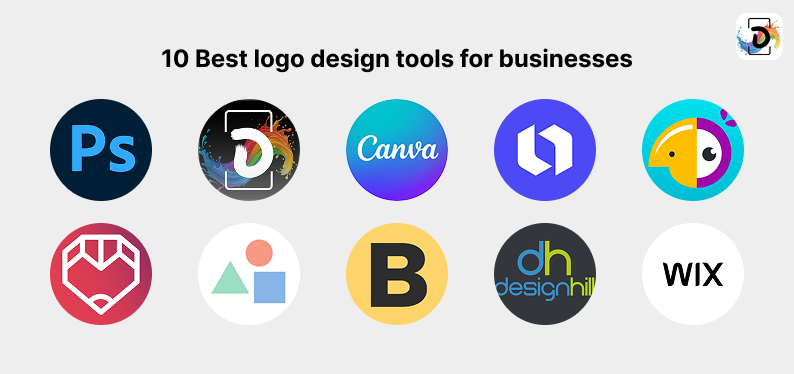
1. Adobe Photoshop
You’ve definitely heard about Adobe Photoshop at some point in your search for the best logo maker. But the interesting thing about it is that the Adobe Photoshop is not a traditional logo generator despite the fact that it gives businesses looking to build their logo complete control over every little design detail. In fact, it is one of those tools that truly lets the designer’s creativity come to live.
With Adobe Photoshop, designers can create the “crazy” idea they thought of in the bathroom from scratch. They can also refine the design’s typography for both digital and print use. This autonomy and flexibility is what particularly makes them useful for in-house designers and creative teams that are looking for a household tool to create high-quality branding assets like logos, social media graphics, and business flyers.
Nevertheless, Photoshop is not meant for novices. Making a logo from scratch has a learning curve and necessitates a firm grasp of design principles. This can slow things down or produce inconsistent results for small enterprises without design experience.
Best for:
- Businesses with design expertise
- Brands that need full creative control
- Teams are creating logos alongside other marketing assets
Limitations:
- Steep learning curve
- Not AI-driven
- Time-intensive for non-designers
2. DrawPost
These days, there are only a handful of “standalone” professional design software, and DrawPost is no exception. It is a very handy design tool that combines logo creation with other efficient capabilities like the creation of other branding materials. With DrawPost, you can easily create logos, social media visuals, and even promotional assets without you having to start everything from scratch. This is because of the numerous templates and baseline assets that any creative individual can build on really.
Beyond logo creation, DrawPost also supports creative typography styling similar to a fancy text generator, experimental effects comparable to a glitch text generator, and quick visual cleanup tools aligned with an AI background remover — enabling businesses to refine logo presentation, enhance branded visuals, and prepare assets for digital use within one streamlined environment.
Apart from efficiency, usability is another functionality that DrawPost focuses on as the tool is easily accessible to small business owners seeking fast results. This benefit is amplified by the array of pre-designed elements and layout options that allow users to experiment with different logo styles without deep technical knowledge.
And if your business runs design and marketing department under one big umbrella, DrawPost can help you with handy and quick marketing needs, such as digital posts or simple promotional designs.
Best for:
- Small businesses and solo founders
- Quick logo creation alongside marketing visuals
- Users without design experience
Limitations:
- Limited originality for competitive brands
- Not ideal for complex brand systems
3. Canva
There’s another household name that is probably as popular as Adobe Photoshop. Many individuals and businesses use Canva for all kinds of design needs and logo design is certainly no exception, especially among startups and small teams that need results quickly.
It is simple, fast, and produces beautiful results. This is all thanks to its drag-and-drop functionality and a large library of templates. You can literally create a logo with Canva in minutes.
For non-designers, Canva reduces friction. You can experiment with AI background removerfonts, icons, and colours without worrying about technical design rules. It also integrates well with other branding needs, such as business flyer templates, social media posts, and presentations, making it appealing to teams managing multiple assets in one place.
Canva logos, however, can occasionally seem recognizable. Since many companies use the same templates, it can be difficult to be unique unless you spend a lot of time customizing them.
Best for:
- Small businesses and startups
- Quick logo creation with minimal effort
- Teams needing multiple branded assets
Limitations:
- Risk of generic-looking logos
- Limited depth compared to professional tools
4. Looka
Now Looka is the first tool designed primarily for logo creation on this list, and it comes up with logo creation ideas with the help of machine learning algorithms. The algorithm comes up with these logo ideas based on essential details like your business/brand name, industry, and visual preferences. So, if your business is innovation-inspired and is bold enough to run with AI-generated visuals, this right here is a good option.
One compelling thing about using Looka though, is that it is so fast and intuitive that even a novice can start generating awesome designs in a few minutes playing around on its interface. The tool will ask you some questions, and in a few minutes, it’ll present you with some beautiful ideas you can start considering. Then, it now allows you to adjust colours, icons, and layouts as your imagination dictates. This makes Looka particularly useful for early-stage founders who want something polished without hiring a designer immediately.
Best for:
- Startups needing a fast, AI-assisted logo
- Founders with limited design experience
- Early branding experiments
Limitations:
- Limited strategic differentiation
- Less flexibility for complex brand identities
5. Hatchful by Shopify
Shopify, the multinational e-commerce giant, also has a free logo creator called Hatchful. This makes sense considering the fact that the e-commerce giant basically is a hub for business owners of varying sizes. So, to support its customer base in supercharging their businesses, Shopify has designed Hatchful for small businesses and entrepreneurs, especially those working on side projects or businesses related to e-commerce.
Hatchful by Shopify was built to be easy to use, fast, and easily accessible. Therefore, it even covers the whole nine yards for budding business owners starting from helping them figure out their industry, design preferences, and most importantly, the different logo possibilities. Therefore, it is safe to say that Hatchful is a low-risk method of creating a logo for companies on a small budget that doesn’t involve any upfront expenses or design knowledge.
However, the fact that Hatchful was created to target small business owners sometimes means that the tool puts speed ahead of depth. Therefore, you might end up with Logos that some business owners might consider shallow and being only suited for early-stage use rather than long-term brand growth and customization.
Best for:
- E-commerce startups
- Budget-conscious small businesses
- Quick, no-cost logo creation
Limitations:
- Limited customisation
- Not ideal for scaling brands
6. Tailor Brands
We wouldn’t exactly say that Tailor Brands is just a tool for creating logos because you can do more in terms of branding with the likes of asset development and brand rules. However, on top of all that, Tailor Brands can be used for AI-driven logo creation. Because of this, it appeals to companies looking for a more structured branding experience without hiring a full-service logo design company.
So, here’s what you would encounter when trying to use Tailor Brands: an initial branding questionnaire which the tools machine learning algorithm uses to create the initial design possibilities. Shortly after that, you can then make your choices and tweak the initial choices to your preferred finished material.
Best for:
- Small businesses seeking guided branding
- Founders who want more than just a logo
- Users comparing logo design firm vs online tools for small business
Limitations:
- Less creative freedom than custom design
- AI-driven outputs can feel repetitive
7. LogoMakr
While this is a browser-based tool, making it relatively ‘less-sophisticated’ than most of the others on this list, the LogoMakr surprisingly offers a high level of design capabilities. What makes it even more surprising is the fact that the tool is completely free to use. However, when compared to other AI-first solutions, LogoMakr emphasizes manual design, enabling users to modify layouts, add icons, and change text directly on the canvas. Basically, it puts the user in the drivers seat when it comes to building their desired logo.
Therefore, business owners who like hands-on involvement without committing to professional software like Adobe Photoshop might find the LogoMakr as the ideal tool. Before settling on a design, it’s particularly helpful for experimenting with several logo directions.
The drawback of LogoMakr is that it requires a rudimentary grasp of design principles. Without it, creating logos that appear uneven or inconsistent across formats is simple.
Best for:
- Founders who want manual control
- Early design experimentation
- Simple, no-frills logo creation
Limitations:
- Requires design judgement
- Fewer guided branding features
8. Brandmark
Brandmark is another example of AI tools for business logo design. It largely relies on automation is Brandmark. It is one of the fastest AI tools for corporate logo design, using algorithms to recommend logos, color schemes, and typography with little input from the user.
The platform is excellent in speed and aesthetics. Brandmark can create crisp, polished results in a matter of minutes for companies who require a modern-looking logo. It also offers extra resources like brand kits and social media designs.
However, Brandmark’s results can feel identical across industries, as is the case with many AI technologies. Without additional refinement, businesses operating in competitive markets may find it difficult to distinguish out.
Best for:
- Fast logo generation
- Modern, minimalist branding styles
- Founders prioritising speed
Limitations:
- Limited originality
- Less strategic depth
9. Designhill Logo Maker
Automation and optional access to expert designers are combined in Designhill’s logo creator. Users can work with designers to expand or improve their branding after beginning with an AI-generated logo.
Businesses that aren’t ready for full bespoke logo design services but want the option to upgrade later find Designhill appealing because of its hybrid approach. Additionally, it provides access to other resources like marketing materials and stationery.
Cost is the primary trade-off. Although the initial cost of creating a logo is low, hiring an expert can quickly raise the expense.
Best for:
- Businesses wanting flexibility
- Teams considering future professional input
- Gradual brand development
Limitations:
- Costs can scale quickly
- Mixed experience depending on service level
10. Wix Logo Maker
Wix Logo Maker is made to be simple to use and integrate, especially for companies that currently use Wix to create their websites. It generates logo alternatives that fit the brand’s industry and style requirements using guided questions and AI recommendations.
Ecosystem compatibility is its greatest benefit. Wix-created logos may be easily applied to digital assets and websites, saving new businesses setup time.
However, Wix Logo Maker works best for companies that stick to the Wix platform. Flexibility may be restricted for brands who intend to grow or move across several systems.
Best for:
- Wix users
- New businesses are launching websites quickly
- Simple branding needs
Limitations:
- Platform-dependent
- Limited custom depth
Logo Design Firm vs Online Tools for Small Business
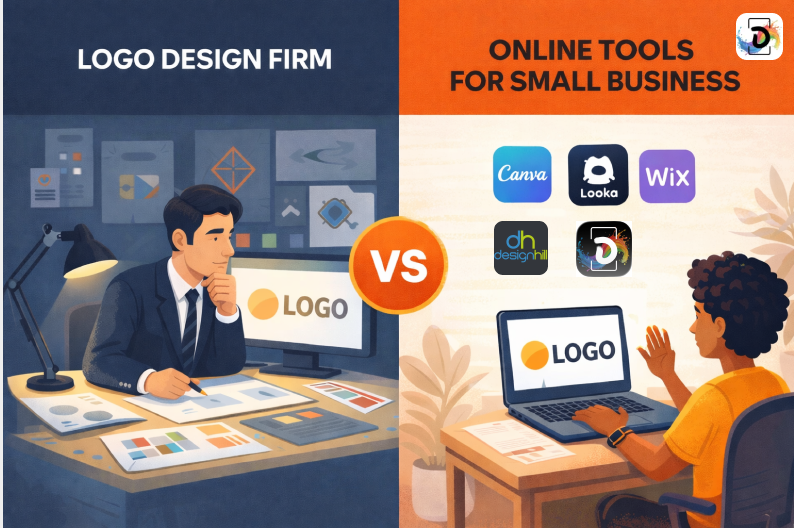
Your company’s present needs will determine whether you should use an internet logo design tool or a logo design firm when trying to create a logo for your business.
Here are some tangible details you need when comparing logo design firm vs online tools for small business
Online resources are great for experimentation, speed, and cost. They facilitate the rapid creation of logos for startups and small businesses, particularly in situations where funding is limited or branding is still developing. In particular, AI technologies for company logo creation eliminate technological obstacles and provide quick outcomes.
However, when branding needs to grow, internet methods frequently fall short. They hardly ever take audience psychology, brand strategy, or long-term distinction into consideration. When expansion necessitates consistency and creativity, many companies eventually outgrow their do-it-yourself logos and rebrand.
A logo design firm, on the other hand, focuses on brand identity as a system. This includes research, positioning, visual language, and long-term usability. While the upfront investment is higher, the result is usually more distinctive and durable.
In short:
- Online tools give you speed and convenience
- Logo design firms = strategy and longevity
Build a Scalable Brand Identity That Inspires Trust
Partner with Debut Infotech to develop a custom logo and visual identity designed for consistency, recognition, and long-term growth—built by professionals who understand how brands scale.
Final Thoughts
Logo design tools have transformed how businesses approach branding. From AI-powered generators to professional software like Adobe Photoshop, there are now more options than ever. The best logo design tools for businesses are those that align with your goals, resources, and growth plans—not just your budget.
If you need speed and simplicity, online tools are a practical starting point. If you need strategic clarity and a brand built to last, professional design support is worth considering.
Frequently Asked Questions (FAQs)
Your needs will determine which tool is ideal. Professional tools like Adobe Photoshop are ideal for complete creative control. For small firms that need to quickly produce logos without design knowledge, online logo creation tools and AI platforms are perfect for speed and simplicity.
Wordmarks, lettermarks, pictorial marks, abstract logos, mascots, combination marks, and emblems are the seven most popular types of logos. Depending on how literal, adaptable, or expressive a company wants its visual identity to be, each type has a distinct branding function.
Although ChatGPT cannot create graphic logos directly, it can assist in producing brand conceptions, logo ideas, color recommendations, and prompts for AI logo tools. In order to advise creative direction prior to execution, businesses frequently employ ChatGPT in conjunction with AI tools for business logo creation.
Looka, Brandmark, and Tailor Brands are a few of the top AI programs for creating logos. Based on brand inputs, these platforms employ machine learning to create logo concepts. They may not be as creative as custom logo design services, but they are helpful for quick results.
For side projects, internal branding, and early-stage small firms, online logo creation tools are frequently adequate. However, for more brand uniqueness and long-term consistency, many businesses outgrow do-it-yourself logos and seek professional or custom logo design services.