

Ultimate Guide to Digital and Printed Event Invitation Generator
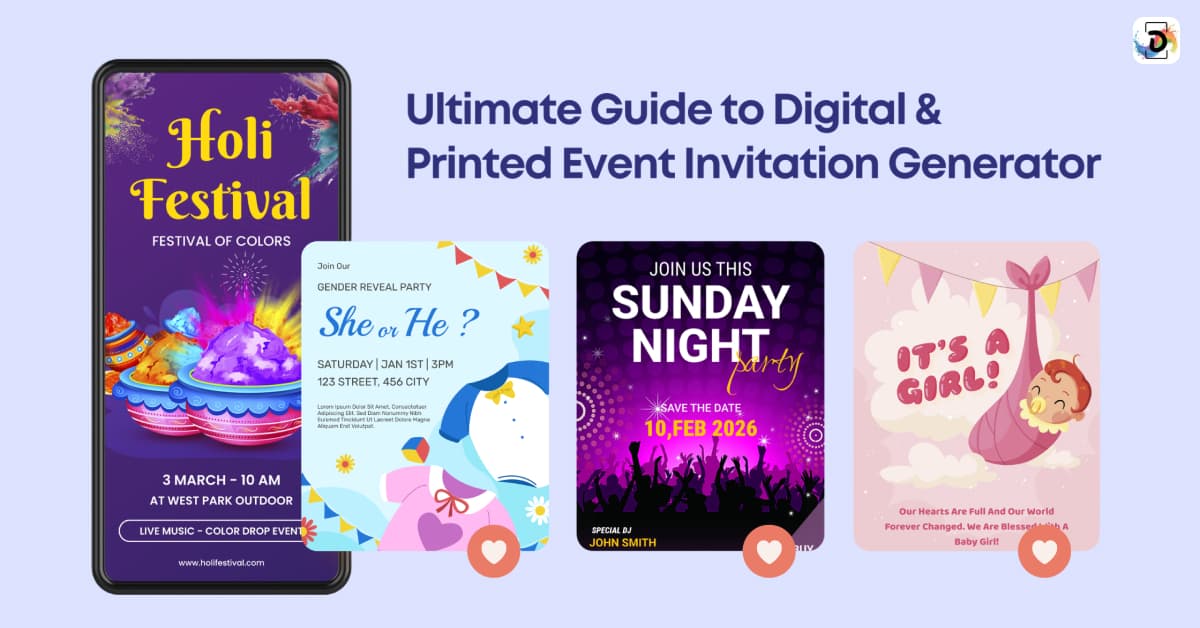
Choosing an invitation generator seems simple at first. You select a template, add event details, send it, and move on. In reality, that process breaks down quickly if you don’t understand what you’re designing for. I mean: are you trying to do digital delivery, print distribution, or a mix of both?
In the early days of print, invitations, or “IVs,” were typically in paper-only formats. Fast-forward a couple of decades, and digital cards, virtual invitations, and RSVP links are all over the place as there are now numerous apps to make invitations for free. And somewhere along the line, during that evolution or transition, if you like, these digital tools didn’t just learn how to design fancy invitation visuals; they have also become adept at distribution.
However, not everything about these event program templates is perfect. Some work well. Others look polished but fail to support real-world event planning. This guide covers the good, the bad, and the cracks in between.
In this article, we focus on how invitation generators actually fit into the process of creating, sending, and managing invitations. We’ll break down the difference between digital (or electronic invitation cards) and printed invitations, explain what matters in invitation design, and show where generators and blank invitation cards genuinely help and where they don’t.
But first, let’s start with some basic design fundamentals so that we have enough perspective to examine both sides of the coin when it comes to how to design a invitation card.
Design Fundamentals That Matter (Before You Touch Any Tool)
Before choosing layouts or browsing invitation templates free libraries provide, it helps to understand what actually makes an invitation work. We say this because, if there’s one thing we have learnt from building the best AI design apps and event program templates, it is that most design problems aren’t caused by bad tools. Instead, they usually come from skipping the fundamentals.
So, what are these “design fundamentals”?
Below are some of the most vital ones.
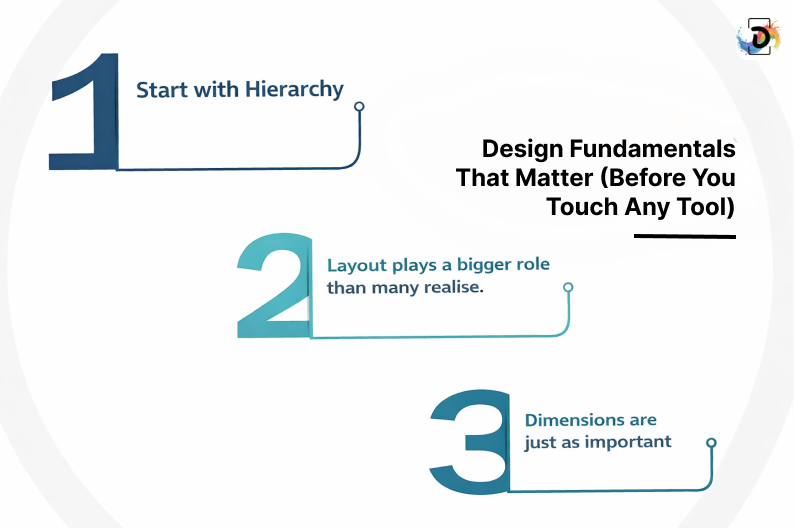
1. Start with hierarchy
An invitation should guide the reader’s eye naturally. Event name first. Date and time next. Location after that. Everything else is secondary. When this order is unclear, people miss details, no matter how good the design looks.
To help you fully appreciate the importance of this core principle, you need to understand that the core purpose of that design material is to communicate something. Therefore, you need to structure your design elements in a way that accentuates that major information.
2. Layout plays a bigger role than many realise.
Still on the idea of ensuring your design elements communicate that core idea, the strategic arrangement of those core elements also plays a major role than most people realise.
Let’s take cool circle design layouts, for example.
You’ll notice most people design with circle when they are designing invitation cards and other materials for casual gatherings or birthday parties, particularly when you want a laid-back, friendly vibe. In fact, that’s why most creative announcements and party invites frequently feature designs with circular features. A stylish circular design can soften the layout and make information seem more approachable when handled skillfully.
3. Dimensions are just as important
Dimensions also matter early. Digital invitation dimensions are different from print. A virtual invitation card designed for mobile screens needs larger text and tighter spacing than a printed card. And when you don’t pay attention to this, you might find that your designs don’t look good on mobile devices while looking absolutely stunning on laptops. The question you need to ask yourself is: how many people view invites on laptops?
Before creating the invitation card design, consider how it will be viewed and distributed. Once you have that basic mindset, you start seeing how beneficial invitation generators can be. And at that point, it doesn’t matter if you design with circle or lines, your chosen pattern just clicks.
Digital Invitations: What Works, What Doesn’t, and Why
We already mentioned earlier that digital and paperless birthday invitations are now everywhere. And it’s not hard to see that it is because they significantly reduce friction in the design thinking process, as well as the fact that makes the whole process of creating and sending invites smoother. You can send digital invitations or links, track RSVPs, and update event information without printing or reprinting anything.
And that’s a good thing, isn’t it?
Most people would assume so. But the thing is that convenience doesn’t always equal efficacy, or even improvement.
What I’m trying to say is that clarity and response flow should be priorities over convenience when designing digital invitations. Let’s say you’ve decided to use virtual invitations with RSVP features. Such a solution MUST guarantee clear, immediate responses from recipients; otherwise, what is the point?
The fewer clicks it takes to reply, the better your response rate will be. And this is where digital invitations work. People prefer them these days, not necessarily because they look astronomically more impressive than physical prints, but because they make it almost effortless for recipients to respond.
For casual occasions, last-minute get-togethers, or big guest lists, paperless free birthday invitation cards and free online party invitation tools are particularly useful. They are quick, adaptable, and simple to control. They do have limitations, though. For formal events, digital invites can seem impersonal, and when they get lost in busy inboxes or messaging apps, they are easy to overlook.
Overdesign is another prevalent problem. Decorative accents, animations, and backdrops can easily overpower the content. A virtual invitation should still prioritise readability. If guests have to search for the date or location, the design has failed — regardless of how creative it looks.
Used well, digital invitations streamline the entire process of creating online invitations and managing attendance. Used poorly, they add noise instead of clarity.
Printed Invitations: When They Still Make Sense
While everyone is all caught up with the craze of sending invite links in the moment, and don’t get me wrong, digital tools are indeed revolutionary, printed invitations still have a major role to play. In fact, they are the better option in some instances. And it is the intent that decides how well-suited they are.
Let’s break it down.
When an event carries a certain level of emotional or social weight, it is better or more appropriate to use printed invitations. I’m talking about weddings, official occassions, milestone birthdays, and corporate events where both the host and the attendees have something tangible to benefit, as well as some social posturing to do. In this situations, physical invitations signals effort and importance in a way a digital message rarely does.
Apart from signifying social importance, print also changes how people respond. A card placed on a table or pinned to a board acts as a visual reminder.
The contrast here with digital invitations is that while they are quite easy to open or access, they are just as easy to forget or ignore. And that’s a variable that counts when you really need attendance or when you want to communicate a certain social currency.
Printing invites, however, brings with it new issues. You have to consider everything from paper quality, polish, color accuracy, delivery schedules, and even where to print digital invitations to ensure that you’re sending the right message. Because digital invitation designs don’t always transition well to print, it’s more important than most people realize to know where to print digital invites and how to properly prepare files.
Invitation generators can be useful in this situation, but only to a certain extent. Print-ready layouts are well supported by certain technologies. Others are obviously screen-optimized and need to be adjusted further before printing. Understanding that limitation early saves time, money, and frustration.
Design Invitations That Match the Importance of Your Event
If you need help aligning invitation design, delivery, and format with your event goals, Debut Infotech’s design specialists can help you plan and execute with confidence.
How to Choose the Right Invitation Generator Without Overcomplicating Things
Now we know that both digital and printed invitations have situations or events where they are most ideal, it relatively becomes easier to select an invitation generator for different purposes. It’s not solely about picking what “looks nice,” but about asking what actually support the way you want recipients to feel when they receive the invitation.
To make your decision-making process much easier, we have presented the three broad categories in which most invitation generators fall into below.
They include:
1. Template-driven tools
Template-driven tools, as their name imply, are largely template-based because they focus on speed.
So, let’s say you need a party invitation free online for a quick get-together, birthday party, or basically any kind of invitation template you can customize for your preferred purposes, they might be the most ideal choice. For informal events, these tools work well because they remove friction and let you focus on sending an invite rather than designing from scratch.
2. Workflow-focused tools
These platforms don’t just help you design fancy invitation cards, but they also help you automate the process of sending these digital invitations to the desired recipients. They also manage RSVPs, track responses, and do every other thing in between the guest management workflow.
Consequently, most event planners and coordinators often use them for creating online invitations for large groups as well as virtual invitations with RSVP features. And it is not just because of the awesome templates, which they have by the way, but for the fact that they manage the entire guest management pipeline.
3. Broader creative tools
When it comes to design flexibility and other creative functions, you might need broader creative tools like DrawPost. In addition to making awesome invitation cards, broader creative tools also offer a wider suite of creative functionalities like small business card maker tools, AI poster maker capabilities, and AI brochure maker options. Basically, the whole nne yards when it comes to designing an invitation online, thus making them useful when invitations are part of a larger event or brand experience rather than a one-off task.
The mistake many people make is trying to find one tool that does everything perfectly. In practice, the best approach is choosing a generator that aligns with how you plan to send invitations, whether that’s digitally, in print, or both.
Using Invitation Templates Freely Without Losing Personality
Templates are great. Not only do they help you create invitation cards faster, but they also help you reduce manual errors, and eliminate the initial creative block that most people experience when they are thinking of creating an invitation card from scratch.
So, that’s a good thing. But when it comes to setting the tone you want a recipient to get, especially about a “high value” event, templates often struggle.
Here’s what we mean:
Where templates struggle is tone. A wedding invitation carries different expectations from a digital card invitation for a team meetup. Using a template without adjusting language, spacing, or emphasis can make the invitation feel generic — even if the design itself is clean.
When templates are treated as a starting point rather than a finished product, invitation generators become practical tools instead of creative shortcuts.
Sending Invitations and Managing Responses Effectively
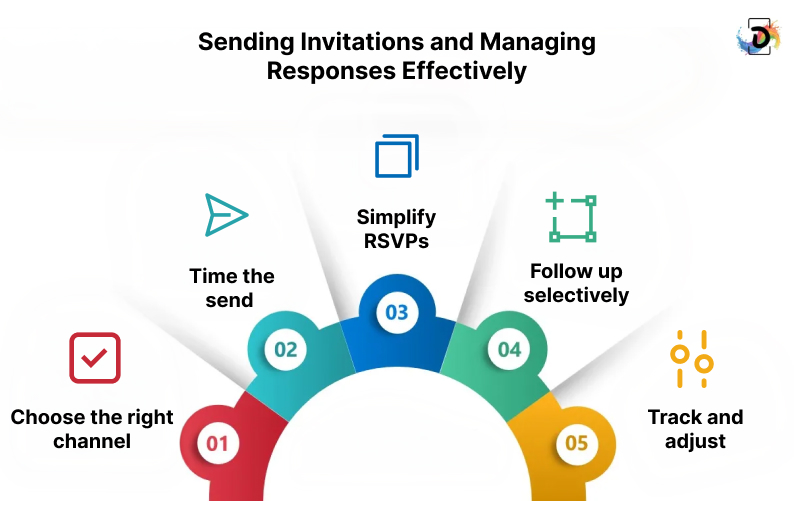
Designing the invitation is only part of the process. How you send it matters just as much. To help you get optimal responses, following the steps listed below can be very helpful.
Step 1: Choose the right channel
The channel through which you send your invites, almost always determines the level of attention and urgency it gets from your recipients. For example, it is better to send direct mail invitations for professional events because the recipients are most likely professionals who take email correspondence quite seriously. On the other hand, messagin apps might be the best fit informal gatherings. The key thing here is to match the channel to existing behaviour.
Step 2: Time the send
You also want to monitor and perfectly time when the recipient receives the email. If you send too early you run the risk of the recipient forgetting the invite before the event. On the other hand, sending too late may make the overall availability of the guest drop. Therefore, it is worth knowing that relevance matters more than precision.
Step 3: Simplify RSVPs
Creating online invitations should result in a near-frictionless response. One action. One confirmation. Make it simple for your recipients and guests to RSVP for the event. This simplicity increases their likelihood of gracing your event.
Step 4: Follow up selectively
A single reminder close to the event date is usually enough. More than that feels intrusive. You want people to remember your event, but you also don’t want them developing negative emotions about it by invading every aspect of their lives with it.
Step 5: Track and adjust
Low responses often indicate unclear messaging, not a lack of interest. So track the responses you’re getting from certain recipients, figure out the lack of clarity there and try to adjust to fix things.
Choosing the Right Invitation Generator Without Overcomplicating Things
Once the format is clear, choosing an invitation generator becomes straightforward.
Most tools fall into three categories:
- Template-driven tools for speed and simplicity
- Workflow-focused tools that handle sending invites and RSVPs
- Design flexible tools that complement features such as small-business card makers, AI poster makers, and AI brochure makers.
The mistake is trying to find one tool that does everything perfectly. The better approach is to choose a generator that supports your invitation strategy.
Using Invitation Templates Without Losing Personality
Templates exist to save time. Invitation templates from free libraries work well for common formats, such as free birthday invitation cards or invitations to casual gatherings.
Problems arise when templates replace judgment. A wedding invitation has different expectations than a digital card invitation for a team event. Small adjustments to layout, copy, and emphasis often make the difference between generic and intentional.
Templates should be starting points, not final answers.
Create Invitations That Feel Intentional and Trigger Responses
Whether you’re managing digital invites, printed cards, or a hybrid approach, the right structure matters as much as the design. Debut Infotech helps businesses and event planners create invitation workflows that are clear, scalable, and aligned with their goals.
Conclusion
Invitation generators are only as effective as the decisions behind them. The real work happens before you choose a tool. This involves deciding whether digital or printed invitations make sense, understanding how people will receive and respond, and designing with clarity rather than decoration in mind.
Once those pieces are clear, invitation generators no longer feel overwhelming. They become practical tools that support the process of creating, sending, and managing invitations, instead of dictating it. Digital invitations offer speed and flexibility. Printed invitations offer presence and intent. Most events benefit from knowing where each fits.
The difference between an invitation that gets ignored and one that gets a response is rarely the software. Its structure, tone, and execution. When those are aligned, the right tools simply make the process easier.
A digital tool called an invitation generator helps users create, personalize, and distribute invitations. They are helpful for both digital and paper invitation workflows because many also support mailing invitations, handling RSVPs, and monitoring responses.
In general, neither is superior. While paper invitations frequently feel more deliberate and official, digital invitations are quicker and simpler to handle. The audience, tone, scale, and urgency of the answer all influence the appropriate decision.
The dimensions of digital invitations vary by platform, but mobile readability should be prioritized in most designs. Large font and vertical layouts with distinct spacing typically work well on phones.
Local printers or internet print services can be used to print digital invites. Exporting designs in print-ready formats and accounting for bleed, margins, and color profiles are crucial.
For straightforward or casual events, free tools are ideal. Limitations on design flexibility, branding, and workflow frequently become more apparent as complexity rises.